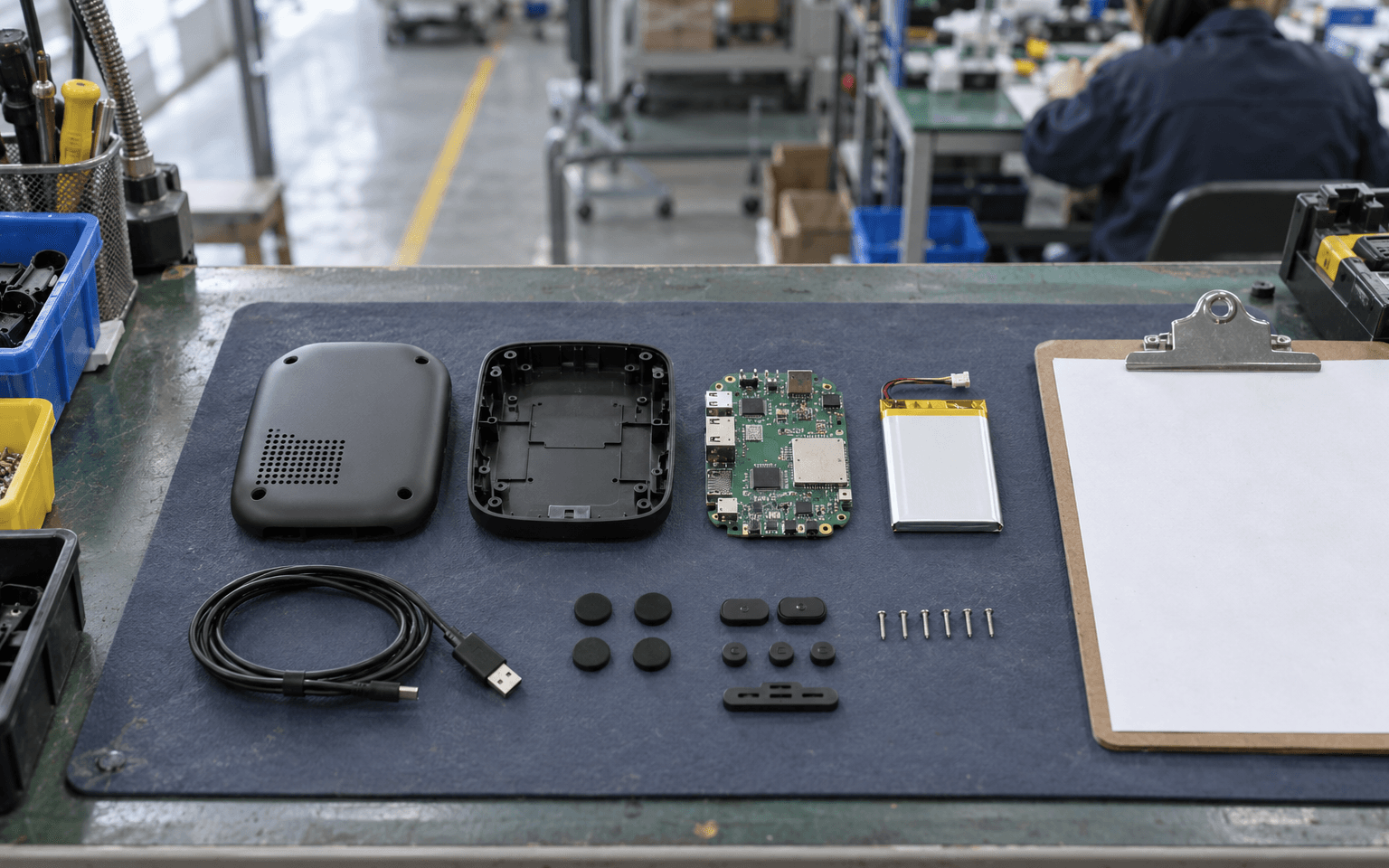
A bill of materials, or BOM (say "bomb" or "B-O-M"), is the complete list of everything that goes into your product: every screw, plastic part, chip, cable, label and box, with how many of each you need.
Think of it as a recipe's ingredient list. The 3D files and drawings show what the product looks like; the BOM says exactly what to buy to build it. In Chinese factories it's called 物料清单 (wù liào qīng dān), and most people just say "BOM".
Why the BOM matters so much
- The factory buys from it. If a line is wrong, the wrong part arrives, and nobody notices until assembly.
- Quotes are built from it. A contract manufacturer or PCB assembler prices your product line by line. A vague BOM gets a vague quote.
- It's your cost model. Parts are often the biggest share of what each unit costs. The BOM shows where the money goes.
- It's your change record. When a part changes, the BOM revision changes. That's how everyone stays on the same version.
The columns a good BOM needs
A BOM is usually a spreadsheet. Here are the columns that matter, with what each one means:
| Column | What it means | Example |
|---|---|---|
| Item no. | Line number, so people can refer to "line 14" | 14 |
| Part number | Your unique ID for this part | ENC-002 |
| Description | Plain words, so anyone knows what it is | Top housing, PC/ABS, matte black |
| Quantity | How many go into one product | 1 |
| Unit | Pieces, grams, metres | pcs |
| Make or buy | Custom part made for you, or bought off the shelf | Custom (molded) |
| Manufacturer + MPN | Who makes it and their part number (MPN = manufacturer part number) | For a standard chip or connector |
| Approved alternates | Other parts you've tested and accept as substitutes | Second-source capacitor |
| Material / finish | For custom parts | PC/ABS, texture MT-11010 |
| Drawing / file reference | Which CAD file and revision | ENC-002 rev C |
| Reference designators | For circuit boards: where on the board it goes | C1, C4, C7 |
| Supplier, unit cost, lead time | For your cost model and planning | |
| Notes | Anything critical | Must be RoHS compliant |
RoHS is an EU rule restricting certain hazardous substances in electronics. If you'll sell in Europe, your parts need to comply, and the BOM is where you record it.
One product, several levels
Products are built in chunks, so BOMs are usually organised in levels, like a family tree:
- Level 0: the finished product in its box
- Level 1: the main sub-assemblies (groups of parts built separately and then joined): the enclosure, the main circuit board assembly, the packaging set
- Level 2: the parts inside each sub-assembly, such as the components on the board
This is called a multi-level or indented BOM. It matches how the factory actually builds things, and it lets a PCB assembler quote just the board section.
For the circuit board alone, PCB assemblers want their own BOM with reference designators and manufacturer part numbers. See How to order PCB assembly.
Engineering BOM vs manufacturing BOM
You may hear two flavours:
- Engineering BOM (EBOM): the list as the designer sees it: the parts that make up the design.
- Manufacturing BOM (MBOM): the list as the factory sees it, with extra items the designer may not think about: glue, thermal paste, labels, protective film, foam, cable ties, packaging.
For a first product you'll usually write the engineering BOM, and your contract manufacturer will build the manufacturing BOM from it. Ask to see it, because it often reveals forgotten items and costs.
How to write your first BOM, step by step
- Start from your CAD assembly. Most CAD tools can export a parts list. That's your skeleton.
- Give every part a part number with a simple scheme, for example ENC- for enclosure parts, PCB- for boards, PKG- for packaging.
- Write a plain description for every line. "Screw" isn't enough; "M2 × 5 mm pan head, stainless steel, black" is.
- Add standard parts the CAD model doesn't show: screws, glue, labels, foam, cables, manuals, boxes.
- For bought parts, add the manufacturer and MPN. Not a shop link. Links change; part numbers don't.
- Add alternates for anything that could run short, especially electronic components.
- Add a revision letter or number to the whole BOM, and change it every time anything changes.
- Check it against a real build. Build or disassemble a prototype with the BOM in hand, and tick off every line.
Common BOM mistakes
- Forgetting the small stuff. Screws, adhesive, foam pads and labels are cheap but can stop a production line.
- Generic parts with no part number. "10k resistor" leaves the factory to guess size, tolerance and power rating.
- Parts that are hard to buy. A component that's end-of-life or only sold by one distributor can hold up the whole build. In Shenzhen you'll hear about 原装 (yuán zhuāng, genuine original parts) versus substitutes; specify what you'll accept.
- Quantities per batch instead of per unit. Always quantity per one product.
- Several BOM versions floating around. One master file, one revision number, one owner.
- Changing parts without telling anyone. Every change should go through a written change process. See Engineering change orders and design freeze.
The BOM and buying parts in China
When a factory buys all the parts for you, that's called turnkey (包料, bāo liào). When you supply some or all of them yourself, it's consigned. Either way, the BOM is the contract for what gets bought. See Turnkey vs consigned PCBA.
Factories may suggest cheaper or easier-to-buy substitutes. That can be good advice, but approve every substitute in writing and add it to the alternates column. A part swapped without approval can change how your product performs or whether it still passes certification.
FAQ
What's the difference between a BOM and a parts list? A simple parts list names the parts. A BOM adds quantities, part numbers, structure, revisions and sourcing details, enough for someone else to buy and build from it.
What software should I use? A well-organised spreadsheet is fine for a first product. Dedicated BOM and PLM (product lifecycle management) tools help once you have many revisions or products.
Who owns the BOM? You do. Even if a factory or design firm helps write it, keep the master file yourself.
Keep reading
- How to order PCB assembly: Gerber, BOM and pick-and-place files
- How to write an RFQ
- How much does it cost to develop a hardware product?
- What is DFM? Design for manufacturing explained
Next steps
- Browse component sourcing and PCB assembly suppliers in the directory
- Visit Huaqiangbei for parts: Huaqiangbei guide
- See the Electronics stage of the Path
- Glossary: 物料清单 BOM, 包料 turnkey, 原装 genuine parts
Updated 3 October 2026